We have created a Blackbox image to help with a rapid software configuration of Blackbox.
First, go to our Git site at: https://blackbox_webserver_download.com and download a copy of the latest Blackbox image to your computer or just click on the download button below:

To install the Blackbox image, you will need an image loader. There are numerous types of image loaders on the market but we recommend using the Raspberry Pi Imager.
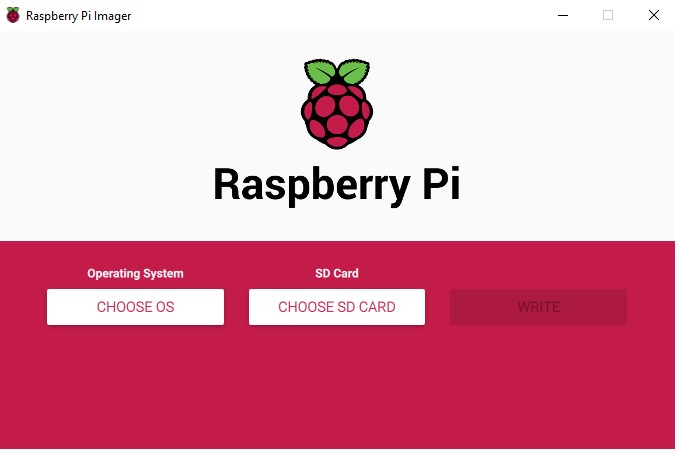
Once the image is downloaded on your PC:
- Insert the USB flash drive in your PC or if using an SD card insert it in a USB card reader and plug it in the computer.
- Open the Raspberry Pi Imager and select “Use custom” and select the Blackbox image.
- Then select the SD card and “Write” to complete the transfer of the image in a format readable by the RPi3.
This process will take quite some time.
Once completed, insert the SD card in your Raspberry Pi and boot up. Open your PC browser and type in the Raspberry Pi address, i.e. 192.168.50.10 or click on the Blackbox icon et voila! You are ready to start testing the software.