Last but not least, the Blackbox project calls for a dedicated web server. This is not a difficult task for someone with basic computer skills. For those that do prefer using our on-line Blackbox web server service, please see blackbox_webserver.com.
For those that may have questions on web servers, the Blackbox web server is simply designed to use HTTP (Hypertext Transfer Protocol) and other protocols to respond to client (the Blackbox raspberry Pi device) requests made over the web via a cell or tablet. The main job of a typical web server is to display website content through storing, processing and delivering webpages to users. Besides HTTP, web servers also support SMTP (Simple Mail Transfer Protocol) and FTP (File Transfer Protocol), used for email, file transfer and storage. The Blackbox web server hardware is connected to the internet and allows data to be exchanged with all connected devices, while web server software controls how a user accesses hosted files.
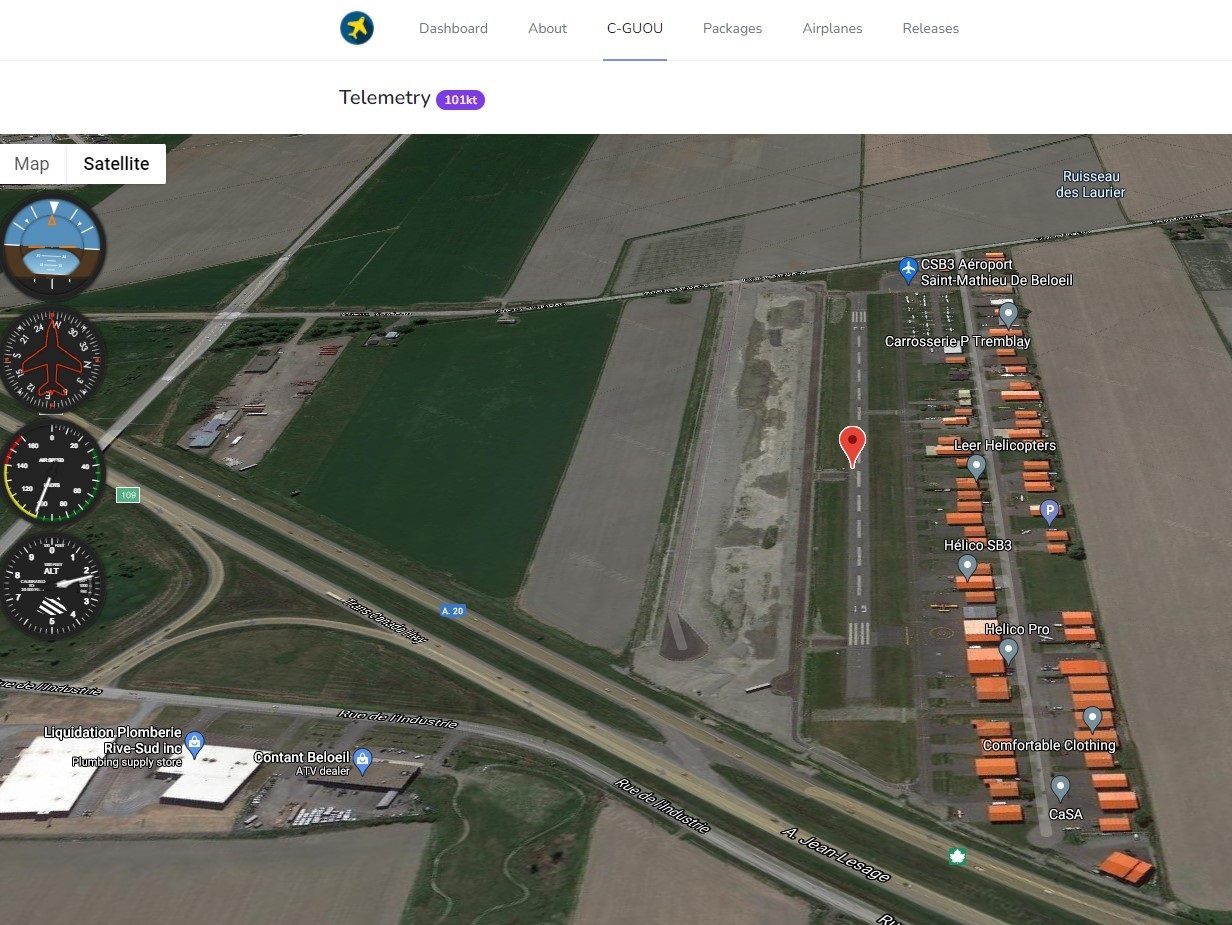
The Blackbox-server will provide its users with different view options and tools to call up and analyze previous flights. One example is our beta LIVE TRACKING screen below, showing the airplane position on a google map or Satellite along with 4 flight instruments providing real-time and accurate information.
Below you will find requirements and steps required to perform your own setup:
Requirements:
- A dedicated personal or business computer. No need for a high performance PC.
- Uninterrupted internet access. No need to extra fast internet speed.
- A dedicated Uninterrupted Power Supply (UPS) to protect against uncontrolled electrical power loss. This will protect web server against damaging power loss.
- A dedicated and secured Linux web server software. Blackbox uses an Apache HTTPs Server.